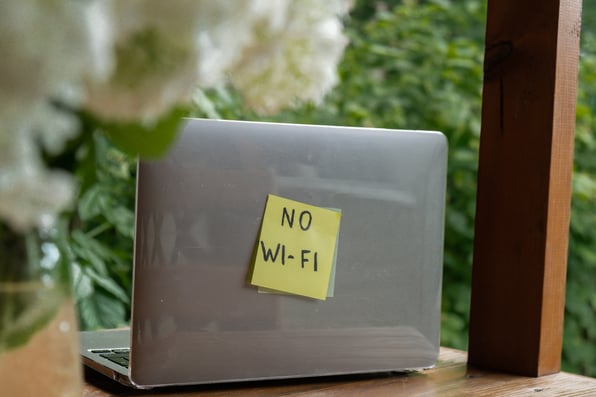
Summer changes how we use our homes. The kids finish the school year and plug in for hours of gaming. The family spills out onto the back porch for dinner. The patio becomes the new home office. And suddenly, the one spot in the house where your WiFi was just good enough has become the spot everyone wants to hang out in.
If your signal stops at the sliding glass door, you are not alone. Modern households now average 21 connected devices per household, according to a Consumer Affairs study, and asking a single router parked in a closet to cover all of them, indoors and out, is asking a lot. Here is how to finally get whole-home WiFi that reaches the bedrooms upstairs, the corner of the basement, and the far side of the backyard.
Why Your WiFi Drops Off in the First Place
WiFi signals are radio waves, and they do not travel in straight, infinite lines. They bounce, absorb into walls, and weaken with distance. The farther a device is from your router and the more walls, appliances, and floors between it and the router, the weaker the signal becomes. The result is wifi dead zones: rooms, stairwells, and yards where your connection sputters to almost nothing, even though your plan is paid up and your speed test in the living room looks great.
Summer makes this worse. Heat, humidity, and leafy trees absorb WiFi signals more than bare branches in winter, which is why your backyard hotspot from last December might feel unusable in July. If you have been searching for outdoor WiFi, the physics are working against you, but the fix is straightforward.
Extenders vs. Mesh: What Actually Works
When people search for the best WiFi extender or best mesh WiFi system, they are really asking the same question: how do I get a stronger signal further from my router? But wifi extender vs mesh is an important distinction, and picking the wrong one is why so many homes still have dead zones after spending $150 on a gadget.
A traditional WiFi range extender (sometimes marketed as a WiFi signal booster or home WiFi extender) grabs your existing WiFi signal and rebroadcasts it under a second network name. That usually means manually switching networks as you walk around the house, and every extender roughly halves the bandwidth because it has to listen and talk on the same channel.
A mesh WiFi system takes a different approach. Instead of one router plus a parrot, mesh uses multiple nodes that coordinate as a single network with a single name, a single password, and smart handoffs as your phone moves from the kitchen to the patio. Modern mesh systems generally outperform traditional extenders, especially for larger homes and higher device counts.
Reaching the Backyard
Even the best indoor mesh will struggle to punch through an exterior wall and still deliver a strong signal at the edge of the yard. If your goal is to extend WiFi to backyard spaces, there are three reliable approaches:
1. Place a mesh node near an exterior wall or window on the side facing the yard. In most homes, this alone covers a patio, deck, and much of the grass beyond.
2. Use an outdoor-rated access point. For pools, detached garages, or larger lots, outdoor mesh WiFi units (weather-sealed and mounted under an eave or on a post) are the cleanest solution and the most common way to extend WiFi outside.
3. Start with a fast, symmetrical connection at the source. Extenders and mesh nodes can only redistribute what the incoming line delivers. A slow or congested connection coming into the house stays slow, just in more rooms.
Those three steps together typically solve the backyard WiFi problem for a weekend project, with no cable running across your lawn required.
A Smarter Way Than Bolt-On Extenders
Here is the good news for Ritter Communications customers: you may not need to buy anything at all. Every Ritter Communications internet plan includes the Plume Home App, and our 1 Gig and 2 Gig plans include Smart WiFi with SmartPods, which are mesh extenders engineered to work as one coordinated network with your main gateway. A technician installs them according to your floor plan during installation.
What makes Smart WiFi different from a generic store-bought mesh is that it continuously tunes itself. The network watches which rooms and devices are active, which channels are congested in your neighborhood, and how your family actually moves around the house. It reroutes traffic in real time, which is why Smart WiFi technology consistently outperforms traditional standalone extenders.
Add a SmartPod near a back-facing window or upstairs bedroom, and the same mesh that blankets your living room reaches your deck, your office, and the corner of the yard where the kids set up the sprinkler.
Enjoy the Whole Summer, Everywhere
Summer should not mean choosing between being on WiFi and being outside. With a thoughtfully placed mesh network (or better, Smart WiFi built to adapt to your home), you get a single, strong, reliable signal that follows the family from the kitchen to the back fence. When you are ready to extend the party outside, Ritter Communications can help you cover every corner, indoors and out.