Fall means football, and football at home means a living room full of people, two TVs running different games, someone's phone streaming RedZone, and at least one guest asking for the WiFi password before kickoff. If you've ever watched a crucial fourth-down buffer right as the play develops, you know the problem isn't the offense. It's the connection.
Hosting a football watch party should be fun, not a tech support shift. Here's a practical guide to getting your home network ready from kickoff to final whistle, whether you're streaming games on a Sunday or hosting a college rivalry watch party with twenty people and three screens.
How Much Bandwidth Does a Watch Party Actually Need?
The first question most hosts ask is how much speed they actually need when the whole house is watching at once. The honest answer depends on how many streams are running simultaneously and at what quality.
A few useful benchmarks:
- HD sports streaming: roughly 5 to 8 Mbps per stream.
- 4K sports streaming: 25 Mbps or more per stream. If you're planning to watch in 4K on the main TV, budget your bandwidth accordingly.
- Live sports add a little overhead compared to on-demand video because the stream can't buffer as aggressively. That's why your connection benefits from headroom above the minimum, rather than a plan that barely clears the bar.
A simple rule: count your active streams, multiply by the quality tier, and add a 30 to 50 percent buffer for phones, guests checking fantasy scores, and the smart speaker nobody remembers is connected.
For a typical home watch party with two HD streams and a handful of phones, a high-speed plan in the several-hundred-megabit range handles it comfortably. Add a second 4K TV, and you'll want more. The goal isn't to max out your plan; it's to never come close.
Before Game Day: A Quick Football Watch Party Setup Checklist
Think of this as your watch party internet requirements pass, run a few days before guests arrive rather than five minutes before kickoff.
Test your speed where people will actually watch. Run a speed test from the living room TV and the back patio if that is where the grill crew will be. The number at the modem and the number at the couch are rarely the same.
Count your devices. TV streaming boxes, gaming consoles running apps, phones, tablets, laptops, smart speakers. Multiple devices streaming internet traffic at once is what catches people off guard, not any single stream by itself.
Check your WiFi coverage. If the basement TV or the back bedroom always struggles, fix that before Saturday, not during the first quarter.
Update your streaming apps and restart your main streaming device. Stale app caches cause more watch party problems than people realize.
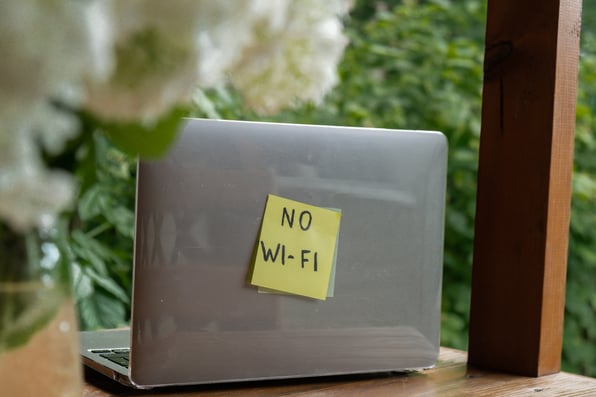
Write down the WiFi password on a sticky note. You will thank yourself when the fifteenth guest asks.
How to Improve WiFi Signal for a Full House
Whole-home WiFi coverage is the difference between a watch party that just works and one where half your guests end up on a personal hotspot. Sports fans cluster. The living room, the kitchen, the patio, and sometimes the garage all become viewing zones on a big game day.
If your signal weakens in the rooms where people actually gather, a few practical steps help:
Move your router out of a closet or cabinet. Central, elevated placement improves coverage more than most people expect.
Reduce interference. Microwaves, baby monitors, and thick masonry walls between the router and the TV are common culprits for wifi dead zones during watch party traffic.
Consider a mesh extender or whole-home system. A wifi extender can help if you have one dead zone. For multiple weak zones, a coordinated mesh network (or SmartPods that work as one network) is usually the better fix.
Ritter Communications customers on 1 Gig and 2 Gig plans include Smart WiFi with SmartPods on qualifying packages, which gives you whole-home coverage that adapts to where people are actually using the network. That matters on game day because your guests don't stay in one room.
Best Internet for Streaming Sports Without the Buffering
The best setup for streaming live games comes down to two things: enough speed for every active stream and a connection that stays consistent when the household is busy.
Buffering during sports is especially frustrating because you can't pause and catch up the way you can with a movie. To reduce lag during your watch party:
Hardwire the main TV if you can. An Ethernet cable from the router to your primary streaming device eliminates wireless variability for the screen everyone's watching most closely.
Prioritize the living room on your network. Many modern routers and mesh systems let you assign priority to specific devices during peak use.
Close background downloads before kickoff. Game console updates, cloud photo syncs, and backup jobs running in the background can steal bandwidth at the worst moment.
Upgrade before you need to. If last season's parties already pushed your connection to its limit, a faster plan is cheaper than apologizing through every third quarter.
The best WiFi for streaming isn't just about the router brand. It's about matching your plan speed, your home layout, and your coverage to how your household actually uses the internet.
How to Host a Watch Party When You Have Multiple TVs
Running multiple TVs is one of the most underestimated watch party challenges. One 4K stream on the main screen plus an HD game in the bedroom and several phones on fantasy apps add up faster than you might think.
Map your streams before guests arrive:
Main TV: highest quality tier your plan supports reliably.
Secondary screens: HD is usually fine and saves bandwidth for the primary feed.
Guest phones: lower bandwidth individually, but they add up in aggregate.
If you're planning a setup with more than two active video streams, test it on a regular weeknight with the same device count. That dry run surfaces problems when the stakes are lower.
Troubleshooting Mid-Game (Without Missing the Play)
Even with good preparation, things happen. Here is a quick triage list for how to avoid buffering during sports once the game is underway:
Restart the streaming app, not the whole TV. Faster and usually enough.
Move bandwidth hogs offline. Pause large downloads; ask guests to switch off 4K on secondary screens if the main feed is struggling.
Switch the struggling device to 5 GHz WiFi if your router broadcasts both bands. Less range, but less congestion.
Reliable home internet with local support matters here, too. When something goes wrong on a Sunday, you want a provider you can actually reach, not a national call center queue.
Why Ritter Communications Is Built for Game Day at Home
Ritter Communications delivers high-speed internet designed for real household demand, not just a speed test at the modem. Our residential plans scale with how families actually use the internet: multiple streams, multiple devices, multiple rooms full of guests on the biggest weekends of the year.
With Smart WiFi powered by the Plume Home App and SmartPods for whole-home coverage, your network adapts to where the action is, indoors or out. And because we're local, when you need help, you're talking to people who serve your community, not a script on the other side of the country.
This season, set your connection up once and enjoy every game without watching a spinning wheel instead of a spinning football. Check your plan, fix your dead zones, and kick off with confidence.